
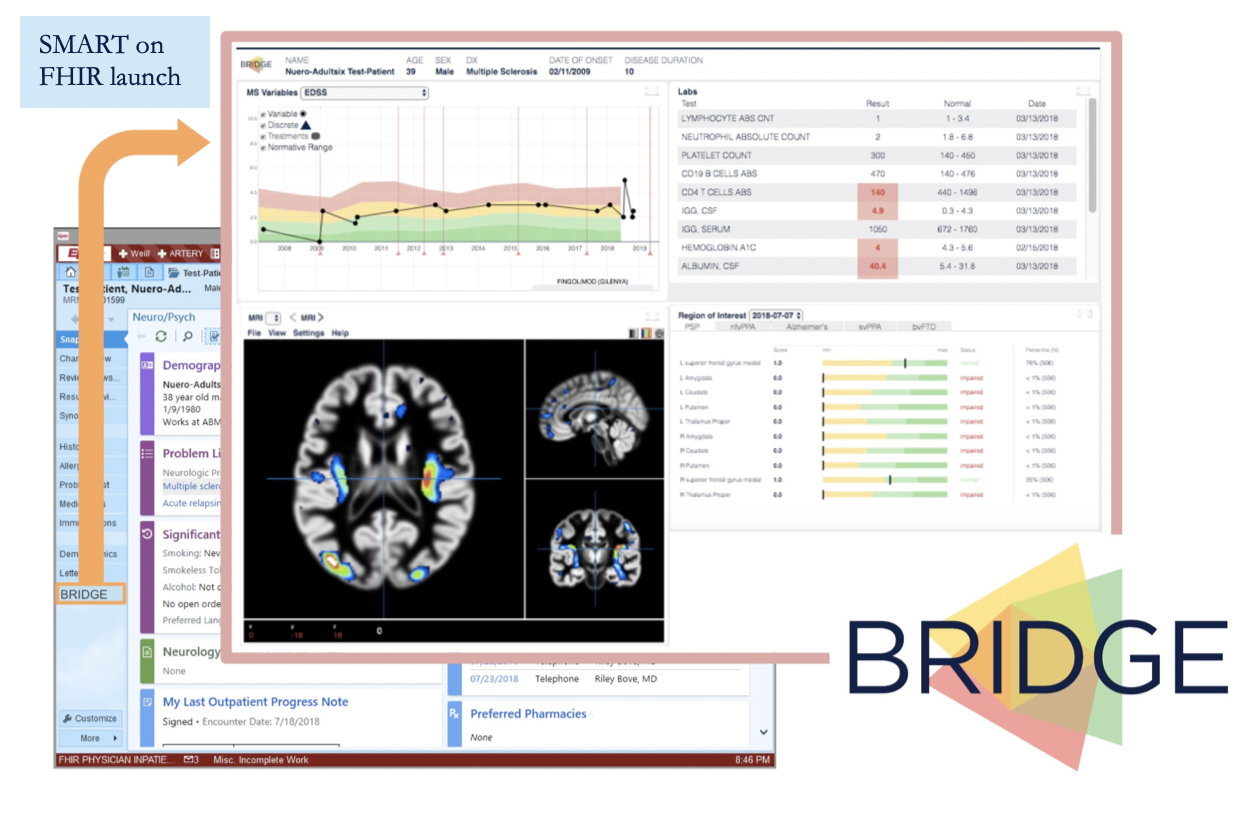
Delivering your patient's relevant data to you in one click.

BRIDGE dashboard screenshot

Point of Care

BRIDGE is integrated with the UCSF medical record, which is an Epic system. Clinicians can click on a link directly from the patient's medical record to launch the BRIDGE dashboard.

Interactive

BRIDGE currently has multiple ways to visualize data, called widgets, that we continue to expand by engaging with clinicians, patients and scientists.

Real-time

BRIDGE pulls from multiple data sources, from the medical record to research, patient-facing and wearable platforms. Wearable data collected by BRIDGE Gather is added after each day ends.

Actionable

BRIDGE displays actionable visualizations to support clinical decision making.

Configurable

BRIDGE is a configurable platform built to easily create clinic specific dashboards. Clinicians can mix and match between existing data sources and widgets.

Innovative

BRIDGE is built to bring research, algorithms and innovation to the point of care.


BRIDGE Gather

BRIDGE Gather is the wearable-data app of the UCSF BRIDGE research program, run by the UCSF Weill Institute for Neurosciences. It is used only by participants enrolled in an IRB-approved BRIDGE research study and by the study team.
What it does. When a participant signs in with Google and approves access, BRIDGE Gather uses the Google Health API to read, and never change, their activity, heart-rate and sleep data: steps and heart rate minute by minute, resting heart rate, heart-rate variability, Active Zone Minutes, and sleep sessions and stages. If the participant allows it, it also reads the time zone in their Google Health settings, so each day's data matches their own calendar day.
Why it needs this data. BRIDGE Gather stores the data on UCSF servers. The study team uses it for the approved research, and the participant's UCSF clinicians see activity, heart-rate and sleep trends in the BRIDGE dashboard, including during clinic visits.
We never sell this data or use it for advertising. Participants can disconnect at any time in their Google Account under Linked apps, or by emailing bridge@ucsf.edu.